
ResoSpring · Spring reverb tank
A spring reverb you can play.
ResoSpring models the springs themselves: the wire, the coils, their length, and how a wave travels along them. That is how you get the real drip, chirp and crash of a spring tank, and why you can do what no spring recording can: pluck it, scrape it, kick it, and twist the springs while they ring.
Perpetual license · no time limit on the demo · macOS and Windows
Each clip plays the dry recording first, then the same passage through ResoSpring. Nothing else on the signal path.
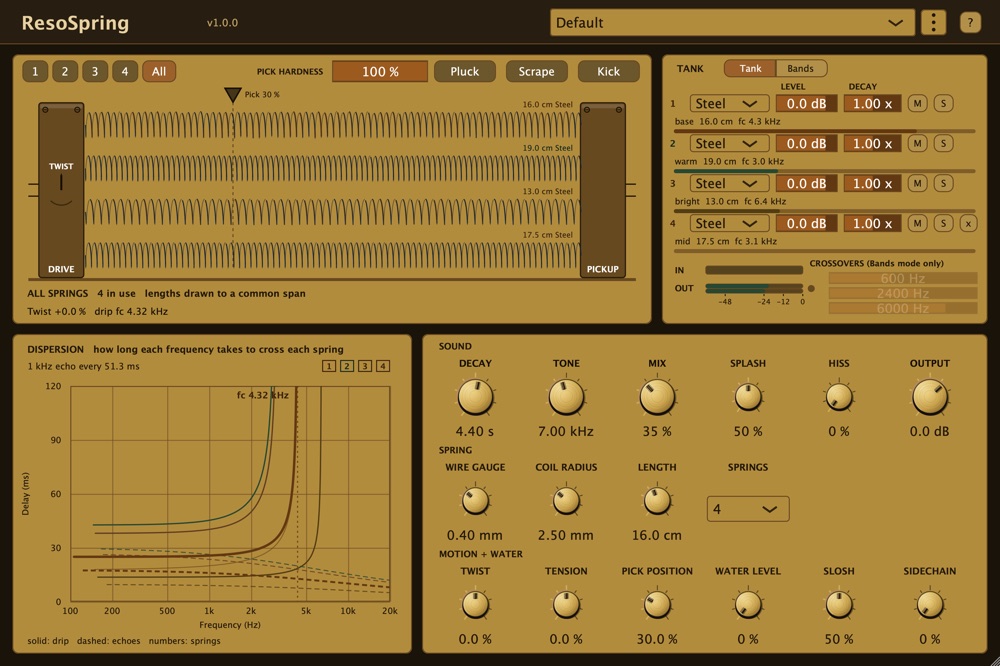
The ResoSpring editor, All view, four springs: the springs drawn from their real geometry, the tank panel, the dispersion graph that draws the drip, and every control.
What makes it different
Real springs, played like an instrument.
A modeled tank, not a recording
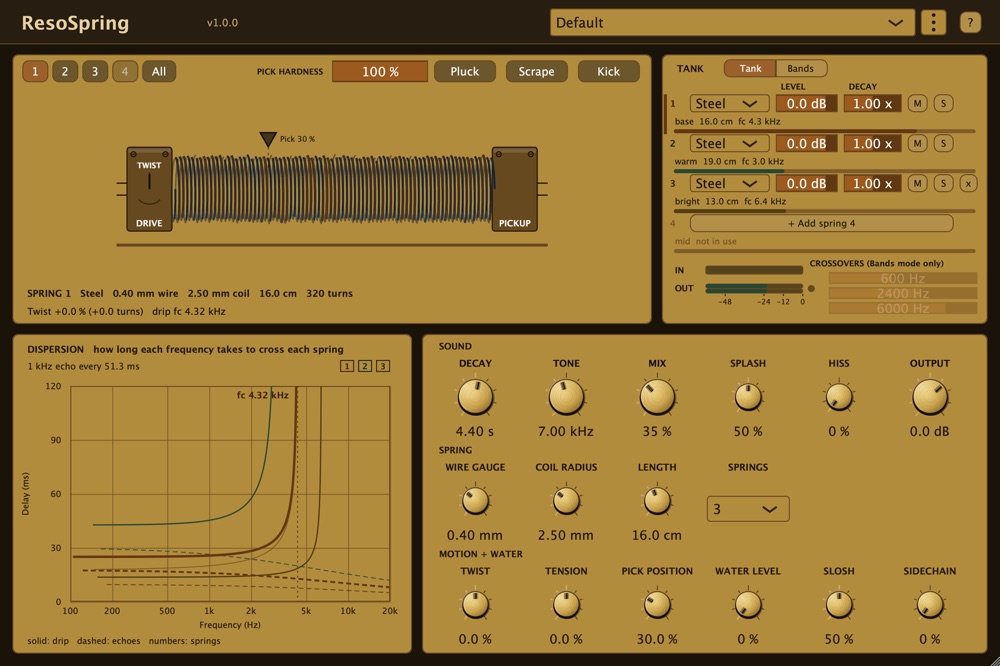
One to four springs, each built differently, the way real tanks combine them. Wire Gauge, Coil Radius and Length reshape the springs while they ring, and the tail glides instead of cutting off. Decay is fitted to measured tanks.
Pluck, scrape, kick
Click the drawn spring to pluck it, drag along it to scrape, or Kick the tank for the classic crash of a bumped amp. Pick Hardness goes from a stiff pick to a soft fingertip. All of it is automatable.
Twist while it rings
Wind or unwind the springs during the tail and the whole tank bends in pitch. Tension stretches them further, for the cartoon boing.
Play it from a keyboard
Every MIDI note plucks the spring: velocity sets how hard, the note sets where along the wire. The sustain pedal scrapes, pitch bend bends Tension, the mod wheel sloshes the water.
Kicked by your mix
Route a drum track to the sidechain and every hit knocks the tank, harder for louder hits. The sidechain is never heard; it only shakes the springs.
Four metals, and water
Steel, Stainless, Bronze or Titanium per spring, each from the metal's real properties. Fill the tank with water to shorten and darken it, then kick it for a wet stereo warble.
Bands mode
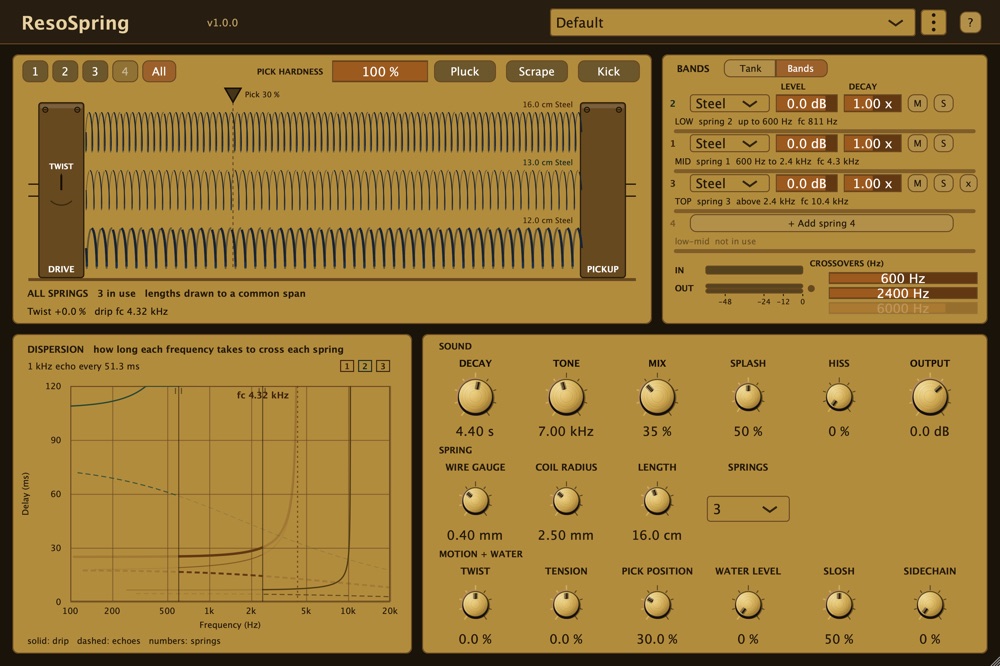
Split the signal by pitch across the springs: a big slow drip on the lows, a clean spring on the top. Each band has its own Level, Decay, Mute and Solo, and you drag the crossovers right on the graph.
The physics
Why a spring drips.
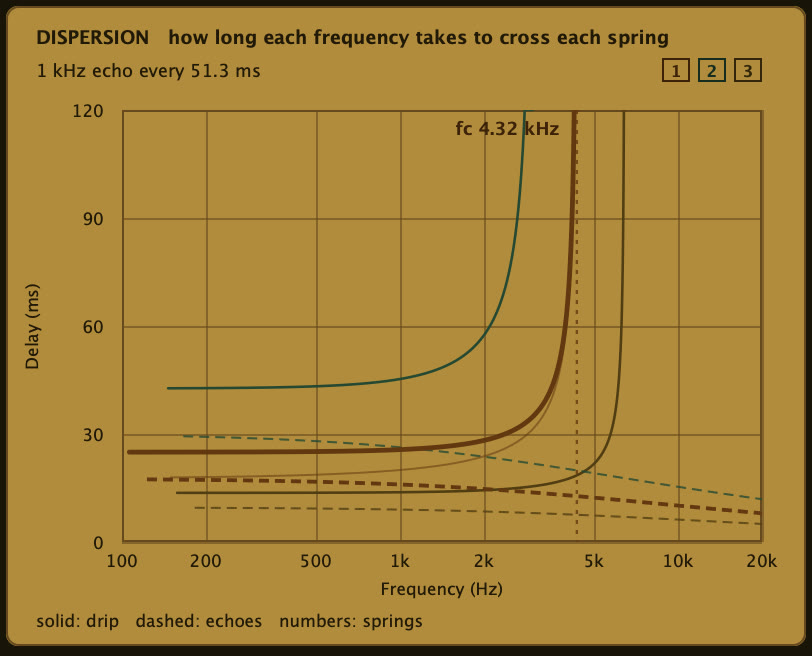
A wave on a coiled wire does not travel at one speed. Low notes cross the spring fastest and higher notes take longer, until the delay shoots up at the spring's transition frequency. That rising delay is the drip: the "boing" every spring reverb is known for.
ResoSpring solves that from the spring's real geometry, so the Dispersion panel in the plug-in draws the exact curve you hear. Thicker wire or a wider coil moves the drip; a longer spring stretches the delays; Twist and Tension shift them live.
Skins
Choose your look.
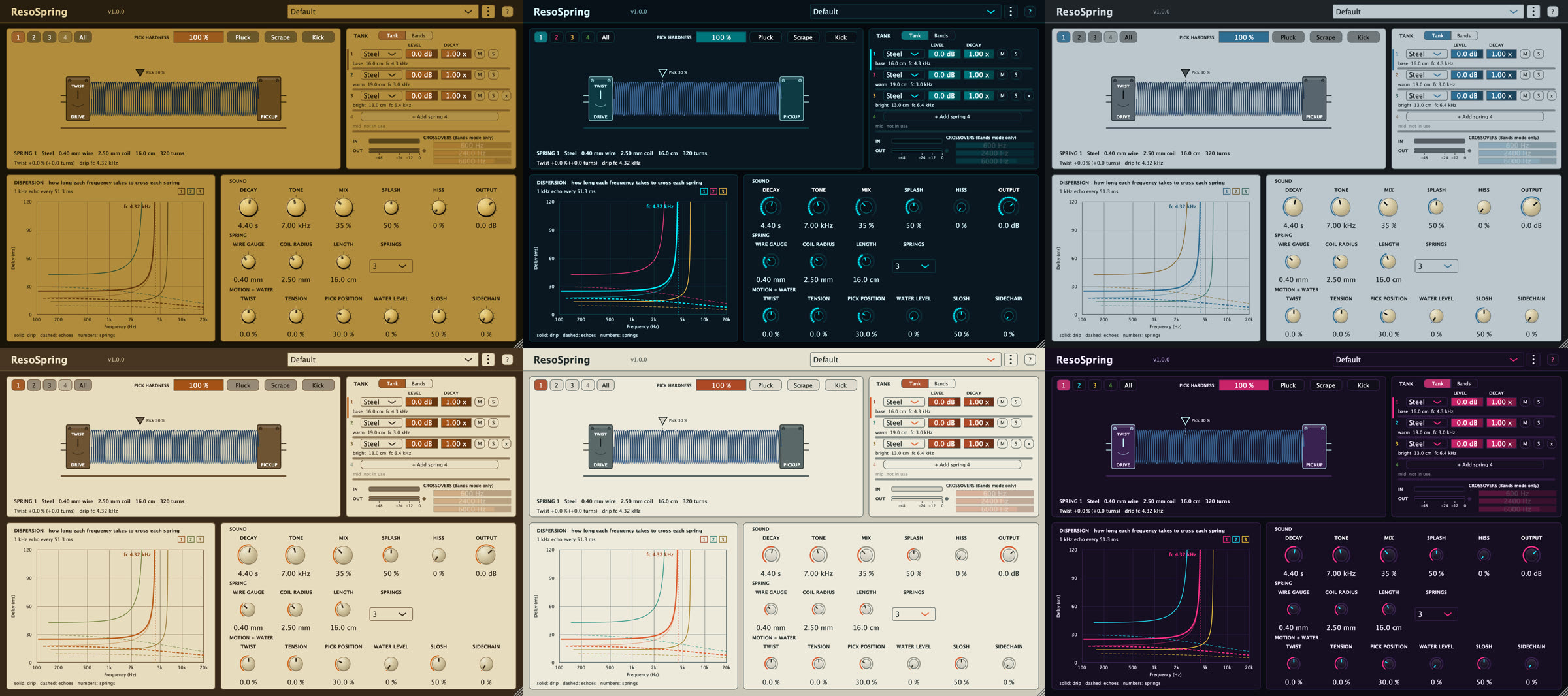
Ten skins. Right-click anywhere on the plug-in to switch; the sound never changes. The four metals keep their own colours on every skin.
Get ResoSpring
Introductory price through November 18, 2026 (11:59 pm US Central), then $59 regular. One-time purchase, perpetual license, every 1.x update free. Students and educators get 40 percent off the regular price ($35.40), by honor system: resoaudio.com/edu.
Try it free
- The full plug-in, every feature
- No time limit, take your time
- The output fades to silence for a moment (first after about 20 seconds of playing, then about every 50 seconds)
- Presets and sessions save and recall normally
One download for everyone. It runs as the demo until you enter a license key. The Mac installer puts everything in the right folders; prefer to copy the files yourself? Get the zip.
Unlock it
- No interruptions, ever
- macOS (AU, VST3, Standalone, plus the ResoSpring MIDI Audio Unit for Logic) and Windows (VST3, Standalone); one license covers both
- Every 1.x update, free
- Perpetual license, key by email
Secure checkout by Lemon Squeezy, our merchant of record. Your license key arrives by email within minutes. Paste it into the plug-in's ? panel to unlock the copy you downloaded; there's no separate paid download. 14-day refund policy.
Works in your studio
Installs clean, unlocks offline.
ResoSpring is a standard VST3 and Audio Unit plug-in, plus a standalone app. The demo and the paid version are the same binary: when you buy, your license key unlocks the copy you already installed. Activation is offline, with no account and no always-on check.
System requirements
| macOS | 11 Big Sur or later, universal (Apple Silicon and Intel), notarized |
|---|---|
| Windows | Windows 10 or later, 64-bit (x64 and Arm64), signed installer |
| Formats | AU, VST3, and Standalone (macOS); VST3 and Standalone (Windows) |
| MIDI and sidechain | MIDI plays the spring (VST3, and the ResoSpring MIDI Audio Unit in Logic); sidechain input kicks the tank |
| Host | Tested in Logic Pro, GarageBand, Reaper and Ableton Live (11 and 12); any other VST3 or AU host should work |
| Activation | Offline license key by email; no account, no always-on check |